
To get help and support from Call Simulator Inc., or, to view the Knowledge Base articles for the Call Simulator product, log in to app.callsimulator.com with your tenant ID and username. Additionally, when contacting support, please include as much detail about your issue as possible and, at a minimum, the following:
- Describe what you were trying to do or wanted to do in Call Simulator.
- Provide information regarding what tab or page were you on when you encountered your issue.
- If applicable to your issue, provide the Scenario ID number or title and the Simulation ID number.
- Share with support any screenshots or screen recordings which would best illustrate your issue.
If you do not remember your tenant ID, please reach out to your trainer or supervisor first, or refer to your original registration email for Call Simulator.
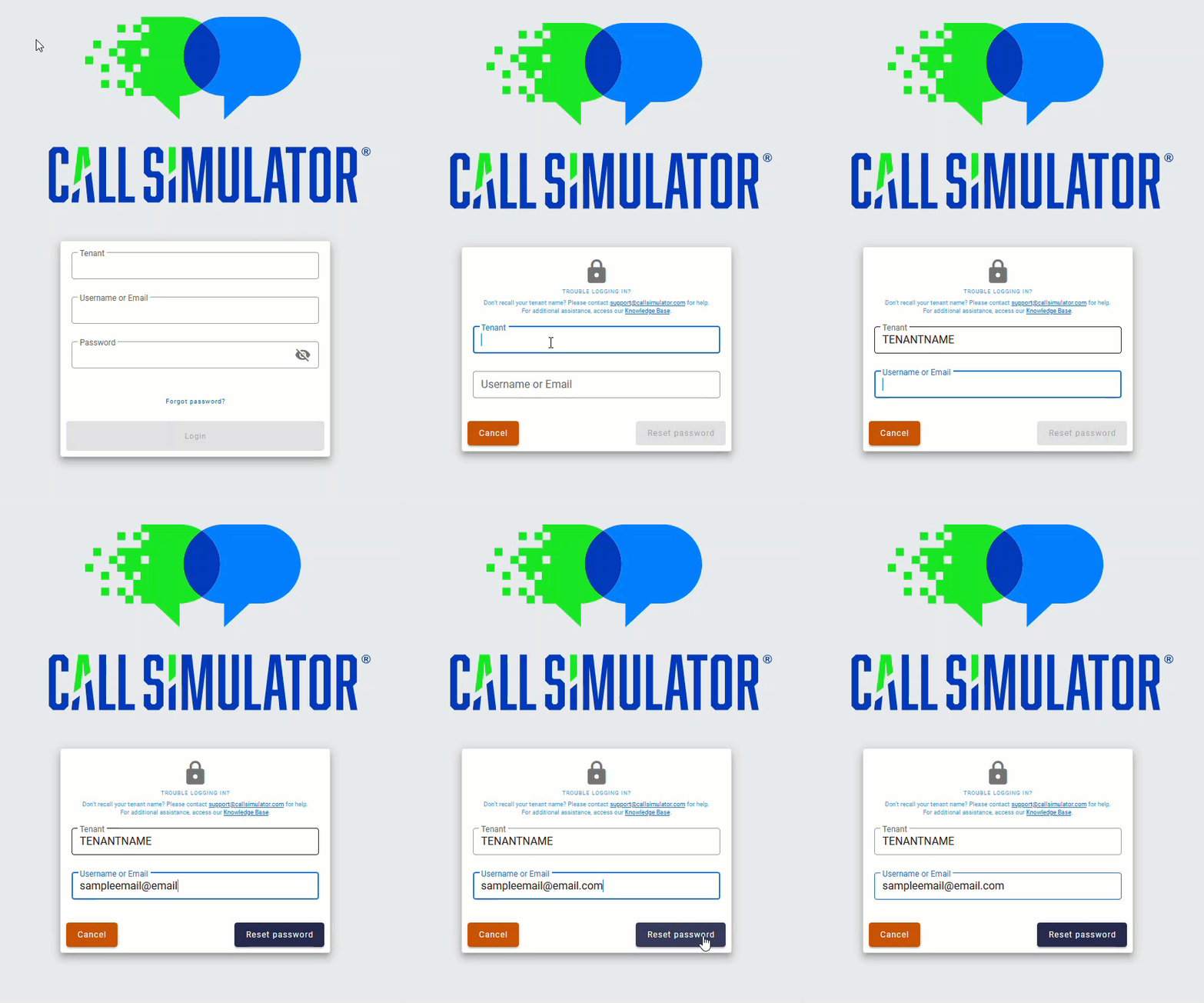
If you forgot your password, click "Forgot Password" on the Call Simulator login page and fill in your tenant name and email address or username and then click on "Reset Password" to receive a reset password link via email.
Please note: Call Simulator requires passwords to contain a minimum of 9 characters.
Once you have logged in, click the menu item with a question mark icon, labeled Help on the left side navigation toolbar.
When you click the Help menu, a new tab for the Call Simulator Knowledge Base will open automatically. You may search the Call Simulator Knowledge Base by keywords; click on the Knowledge Base section headers to review articles located in those sections; and/or click on the support widget, located in the bottom right corner of your screen.
You can also email support@callsimulator.com for non-urgent requests.
If you have any questions, or problems with the simulator, or if you would like to provide feedback, please contact Call Simulator Inc. using one of the above-mentioned methods.