
During a call simulation, the Simulator will timeout due to inactivity when there has been no speech detected by the simulator for 5 minutes.
The inactivity timeout trigger can also happen when the Learner has clicked on pause to pause the call simulation and navigated away for 5 minutes.
The Simulator will display different warning messages during the call simulation if no speech is being detected, as follows:
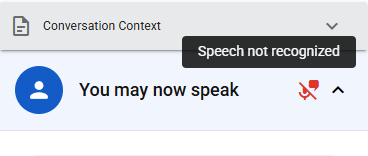
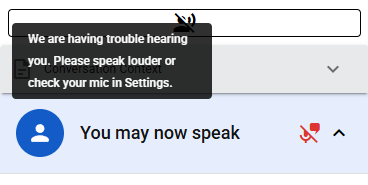
In such cases, the Learner should double check their microphone settings and/or speak louder into the microphone.
See also Configuring Your Microphone and How to Test Your Microphone Settings. If you continue to experience issues, please reach out to your training supervisor or instructor.